

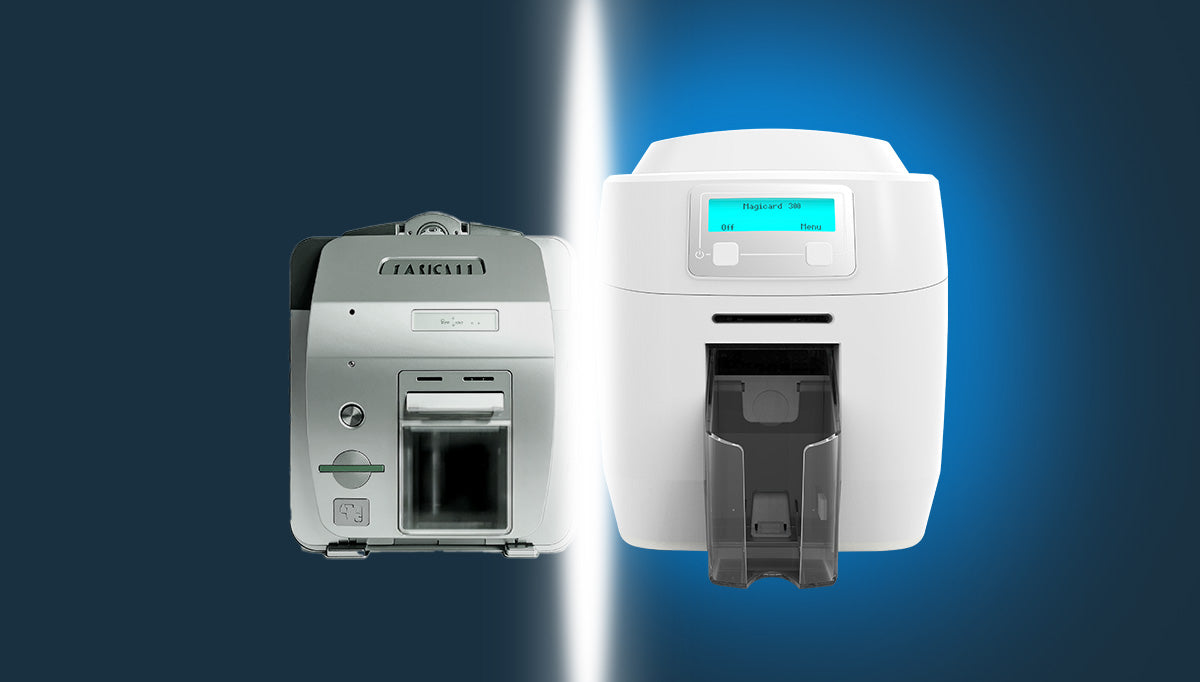
ID Card Printer Upgrade: Why It’s More Than Just Replacing Hardware
For many organizations, ID card printers are one of those systems that quietly sit in the background doing their job day after day. They produce employee badges, visitor credentials, student IDs, membership cards, and access credentials without much attention.
Yet while companies regularly replace laptops, servers, network equipment, and mobile devices as part of planned technology refresh cycles, ID card printers often remain in service long after they have reached the end of their optimal life.
The result? Increased downtime, declining print quality, rising support costs, and missed opportunities to improve security and operational efficiency.
Rather than viewing a printer replacement as a simple hardware purchase, organizations should consider an ID card printer upgrade as a strategic investment in their identity and access management infrastructure.
In this edition
The Overlooked Component of Physical Security
An ID card printer is often a critical part of an organization’s security ecosystem.
Whether you are issuing employee badges, student IDs, contractor credentials, or visitor passes, your printer directly supports:
Physical access control
Identity verification
Employee onboarding
Visitor management
Brand presentation
Regulatory compliance
When a printer becomes unreliable, the impact can extend far beyond the printing department. Delays in badge issuance can slow onboarding processes, create access challenges, and increase administrative overhead.
Security Requirements Continue to Evolve
Modern identification programs are very different from those implemented just a few years ago.
Today’s credentials often include:
- Contactless smart card technology
- RFID encoding
- Mobile credential integration
- Enhanced security features
- Secure data handling requirements
Many older printers were not designed with these technologies in mind and may lack support for newer card formats, advanced encoding options, or enhanced security capabilities.
As organizations adopt more sophisticated access control and identity management systems, ensuring compatibility between credential technologies and card issuance hardware becomes increasingly important.
Print Quality Matters More Than You Think

An ID card is often one of the most visible representations of your organization.
Employees wear it daily. Visitors see it. Customers interact with it.
As printers age, organizations frequently experience:
- Faded colors
- Reduced image sharpness
- Inconsistent print alignment
- Increased card rejection rates
- More frequent reprints
Modern card printers deliver significantly improved image quality, color accuracy, and durability compared to older generations of hardware. The result is a more professional credential that reflects positively on your organization and strengthens visual security.
Operational Efficiency Has Improved Significantly

Today’s card printers are more intelligent than ever.
Modern systems often include:
- Automated diagnostics
- Remote monitoring capabilities
- Simplified maintenance procedures
- Faster print speeds
- Improved encoding reliability
- Enhanced network connectivity
These features reduce administrative effort while helping IT and security teams proactively identify issues before they become service interruptions.
For organizations issuing large volumes of credentials, these improvements can create meaningful operational savings over time.
The Hidden Cost of Aging Hardware
Many organizations focus solely on the purchase price of a replacement printer without considering the ongoing costs associated with older equipment.
As printers age, organizations often encounter:
- Increased maintenance expenses
- Higher failure rates
- Limited availability of replacement parts
- Expired manufacturer support
- Compatibility challenges with newer operating systems and software
While an aging printer may still function, the total cost of ownership can gradually increase year after year through service calls, downtime, and lost productivity.
A planned upgrade strategy can often reduce these hidden costs while improving reliability.
Choosing the Right ID Card Printer for Your Organization
A successful ID card printer upgrade is not simply about replacing old hardware. It is also an opportunity to evaluate whether your current printer still aligns with your organization’s security, operational, and credential issuance requirements.
Modern card printers are available in a variety of configurations, including:
- Single-sided card printers for basic badge issuance
- Dual-sided card printers for organizations requiring additional card information or branding
- Retransfer printers for high-definition credential printing
- Smart card and RFID encoding printers for access control applications
- High-volume card issuance systems for universities, healthcare organizations, and large enterprises
When evaluating a replacement printer, organizations should consider factors such as print volume, security requirements, credential technologies, maintenance costs, and future growth plans.
At PrimeID, we help organizations select card printing solutions that support everything from employee identification programs and visitor management systems to advanced access control credentials and smart card deployments. The right printer investment today can provide years of reliable service while supporting future identity and security initiatives.
Whether you are replacing an aging printer or planning a complete credential issuance modernization project, selecting the right technology is a critical component of a successful ID card printer upgrade strategy.
Signs It May Be Time to Upgrade

If you’re unsure whether your current printer fleet should be reviewed, consider the following questions:
Is your printer more than five years old?
Card printing technology has evolved significantly in recent years. Older hardware may be approaching the end of its recommended service life.
Are support incidents becoming more frequent?
Repeated repairs are often a warning sign that replacement should be considered.
Are software or driver updates difficult to obtain?
Lack of ongoing manufacturer support can create security and compatibility concerns.
Has your organization adopted new credential technologies?
Smart cards, contactless credentials, and advanced security features may require newer printing platforms.
Are users complaining about print quality?
Consistent quality issues often indicate aging printheads or outdated hardware.
If the answer to one or more of these questions is yes, it may be time to evaluate your current card issuance environment.
Building a Printer Refresh Strategy
Most organizations already follow refresh cycles for critical technology assets:
| Technology | Typical Refresh Cycle |
| Laptops | 3 - 4 Years |
| Mobile Devices | 2 - 3 Years |
| Servers | 4 - 5 Years |
| Network Infrastructure | 5 - 7 Years |
| ID Card Printers | 3 - 5 Years |
Applying a similar lifecycle approach to card printers helps organizations avoid unexpected failures while ensuring access to the latest security and operational capabilities.
A proactive refresh strategy also makes budgeting easier by replacing equipment on a planned schedule rather than during an emergency.
Future-Proofing Your Credential Program
The role of identity credentials continues to expand.
Organizations are increasingly deploying:
NFC-enabled credentials
Mobile wallet credentials
Contactless access systems
Cloud-based identity platforms
Multi-factor authentication solutions
Modern card printers are designed to support these evolving requirements and provide a foundation for future growth.
Rather than simply replacing a failing printer with a similar model, organizations should evaluate how their credential program may evolve over the next three to five years.
Final Thoughts
An ID card printer is far more than an office device. It is an essential component of your organization’s security, identity, and access management strategy.
By treating printer upgrades as part of a broader technology lifecycle plan, organizations can improve reliability, strengthen security, reduce support costs, and deliver a better credential experience for employees, visitors, and customers.
If your card printing environment has not been reviewed in several years, now may be the ideal time to assess whether your current infrastructure is still meeting your organization’s needs.
A proactive upgrade today can prevent costly disruptions tomorrow.
CUBO 2 Card Printer – Compact, Reliable, and Easy to Use for Medium Teams
Ready to Get Started?
Explore our full range of ID card printers, software, and supplies to build the right solution for your organization.
Frequently Asked Questions
Q: How often should an ID card printer be replaced?
Most manufacturers and industry experts recommend evaluating ID card printers every 3 to 5 years. While some printers may continue operating beyond that time frame, aging hardware can lead to increased maintenance costs, reduced print quality, and compatibility challenges with newer software and credential technologies.
Q: What are the signs that an ID card printer needs to be upgraded?
Common indicators include:
- Frequent printer errors or breakdowns
- Poor print quality or faded images
- Increased maintenance and repair costs
- Difficulty obtaining replacement parts
- Lack of support for modern card technologies
- Compatibility issues with current operating systems or card issuance software
If your organization is experiencing several of these issues, it may be time to consider a replacement.
Q: Can an older card printer still meet modern security requirements?
In some cases, yes, but many older printers were not designed to support today’s advanced credential technologies, including contactless smart cards, secure encoding features, and mobile credential initiatives. A newer printer can help ensure compatibility with evolving security requirements and future credential programs.
Q: What are the benefits of upgrading to a newer card printer?
Modern ID card printers offer several advantages, including:
- Improved print quality and card durability
- Faster card production
- Enhanced security features
- Better support for smart card and RFID encoding
- Reduced maintenance requirements
- Improved network connectivity and management capabilities
- Greater reliability and uptime
Q: Is it more cost-effective to repair or replace an aging card printer?
The answer depends on the age and condition of the printer. For newer printers, repairs may make financial sense. However, when repair costs become frequent or replacement parts become difficult to obtain, investing in a new printer often provides a better long-term return through improved reliability and reduced support expenses.
Q: How does an ID card printer impact physical security?
An ID card printer is responsible for producing the credentials that employees, contractors, students, and visitors use to identify themselves and gain access to facilities. Reliable and secure card issuance helps organizations maintain accurate identity management processes and strengthen physical access control programs.
Q: Are modern card printers compatible with smart cards and RFID credentials?
Most current-generation ID card printers support a wide range of credential technologies, including smart cards, RFID cards, contactless credentials, and various encoding options. Organizations should verify compatibility with their specific access control and credentialing requirements before purchasing new equipment.
Q: Can upgrading a card printer improve employee onboarding?
Yes. Faster, more reliable card issuance allows organizations to produce employee badges more efficiently, reducing onboarding delays and ensuring new employees receive credentials when they need them. This improves both operational efficiency and the employee experience.
Q: What should organizations consider before purchasing a new card printer?
Key considerations include:
- Current and future credential requirements
- Print volume expectations
- Single-sided versus dual-sided printing needs
- Smart card or RFID encoding requirements
- Security and compliance objectives
- Integration with existing card issuance software
- Total cost of ownership, including supplies and support
Q: Should organizations have a card printer refresh strategy?
Absolutely. Just as organizations routinely replace laptops, servers, and network equipment, card printers should be included in technology lifecycle planning. A proactive refresh strategy helps prevent unexpected downtime, simplifies budgeting, and ensures access to the latest security and credentialing capabilities.


