

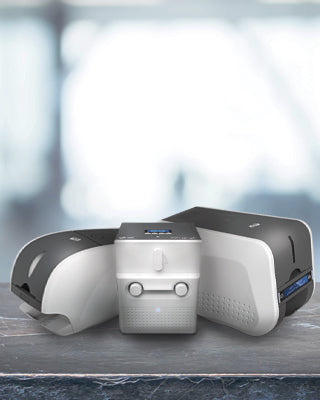
Choosing the Right ID Card Printer for Your Business
Learning how to choose the right ID card printer can feel overwhelming, especially with the wide range of options available today. From simple employee badges to advanced security credentials, every organization has unique requirements. Understanding how to choose the right ID card printer is essential to ensure you invest in a solution that meets your needs today and can scale as your organization grows.
Whether you are a small business, school, healthcare provider, or corporate organization, having an in-house ID card printing system gives you greater control, faster turnaround times, and improved security. Instead of relying on third-party providers, you can instantly issue employee badges, visitor passes, or membership cards whenever needed—reducing delays and increasing operational efficiency.
In this complete buying guide, we’ll walk you through the different types of ID card printers, key features to consider, and expert recommendations to help you confidently choose the right solution for your organization.
In this edition
Why Small Businesses Need an ID Card Printer
An ID card printer allows you to instantly produce professional credentials without outsourcing.
Key Benefits
- Improved workplace security with employee ID badges
- Faster onboarding with instant card issuance
- Stronger branding with custom-designed cards
- Lower long-term costs vs. third-party printing
Most printers use direct-to-card (DTC) dye-sublimation technology, producing high-quality, durable PVC cards.

How to Choose the Best ID Card Printer
Before purchasing, consider these key factors:
-
Upgradeability
Look for printers that can scale (dual-sided upgrades, encoding, etc.).
- Print Volume
Low volume: under 500 cards/year
Medium volume: 500–5,000 cards/year
High volume: enterprise-level
- Single vs Dual Sided Printing
Single-sided: basic ID cards
Dual-sided: barcodes, access data, compliance info
- Connectivity
USB (standard)
Ethernet (multi-user environments)
Wi-Fi (optional for flexibility)
-
Cost & Total Ownership
Factor in ribbons, cards, maintenance, and upgrades—not just the printer price.
Best ID Card Printers for Small Businesses
Based on the criteria above and real-world usage across industries, the following ID card printers represent the best options for small to mid-sized organizations. Each model is selected for its reliability, ease of use, and ability to scale with your needs.
Whether you are launching your first ID program or upgrading an existing system, these printers provide a strong balance of performance, flexibility, and long-term value.
🟢 IDP SMART-31 — ⭐ Most Popular Choice
The IDP SMART-31 is one of the best entry-level ID card printers for small businesses, offering an excellent balance between affordability and professional performance.
| Key Features | |
| • |
300 dpi color printing for sharp, high-quality cards |
| • |
Compact and user-friendly design |
| • |
Fast print speeds for small office environments |
| • |
Upgradeable to dual-sided printing |
| • |
Optional security features such as UV printing and watermarking |
Best For: Small businesses, schools, and organizations starting with in-house card printing.
🧩 IDP CUBO — Best Compact Option
The IDP CUBO Series is designed for modern office environments where space, simplicity, and design matter. Its compact footprint and quiet operation make it ideal for deskside use.
| Key Features | |
| • |
Sleek, space-saving design ideal for office environments |
| • |
Quiet operation for minimal disruption |
| • |
High-quality, edge-to-edge printing |
| • |
Easy setup and intuitive operation |
| • |
Available in multiple configurations (single- and dual-sided) |
Best For: Offices looking for a sleek, space-saving printer with reliable performance.
🚀 IDP SMART-51 — Best for Growing Businesses
The IDP SMART-51 is built for higher performance and scalability, making it a strong choice for organizations with increasing card issuance needs. It supports advanced features such as encoding and dual-sided printing.
| Key Features | |
| • |
High-speed printing for medium to high volumes |
| • |
Upgradeable to dual-sided printing |
| • |
Advanced encoding options (magnetic stripe, smart card) |
| • |
Enhanced durability and reliability |
| • |
Optional security features for more advanced applications |
Best For: Businesses that require higher print volumes and plan to scale their ID program.
🔒 IDP SMART-81D — Best for Security & Quality
The IDP SMART-81D is a high-end retransfer ID card printer designed for superior print quality, durability, and advanced security applications. It delivers true edge-to-edge printing and consistent results across all card types.
| Key Features | |
| • |
Retransfer printing technology for superior image quality |
| • |
True edge-to-edge (over-the-edge) printing |
| • |
Ideal for smart cards, RFID cards, and uneven surfaces |
| • |
High durability and long-lasting card output |
| • |
Advanced encoding and security options |
| • |
Dual-sided printing capability (D version) |
Best For: Corporate, healthcare, and government environments where card quality and security are critical.
Types of ID Card Printers Explained
When evaluating how to choose the right ID card printer, one of the most important decisions you’ll make is selecting the right printing technology. Not all ID card printers work the same way, and choosing the wrong type can lead to unnecessary costs, lower print quality, or limitations as your needs grow.
The three main types of ID card printers are direct-to-card (DTC), retransfer (reverse transfer), and rewrite printers. Each serves a different purpose, and understanding the differences is key to making the right investment.

Direct-to-Card (DTC) Printers — The Industry Standard
Direct-to-card (DTC) printers are the most commonly used ID card printers and are widely adopted across a range of organizations due to their balance of affordability, performance, and ease of use.. They offer a strong balance between affordability, performance, and ease of use.
These printers use dye-sublimation technology to apply color directly onto the surface of a PVC card. Because the printhead makes contact with the card, a small white border is typically left around the edges.
How Direct-to-Card Printing Works
DTC printers use a ribbon with color panels (typically YMCKO) that transfer ink directly onto the card surface in a single pass.
Advantages of DTC Printers
Lower upfront cost compared to other technologies
Fast printing speeds for everyday use
Easy to set up and operate
Compatible with standard PVC cards
Limitations of DTC Printers
Small white border around the edges of the card
Print quality can be affected by dust or card imperfections
Not ideal for cards with embedded chips or uneven surfaces

Retransfer ID Card Printers — Premium Quality & Security
Retransfer printers (also known as reverse transfer printers) are commonly used in environments where high print quality, durability, and advanced card capabilities are important.
Unlike DTC printers, retransfer printers do not print directly onto the card. Instead, they print the image onto a clear film, which is then thermally bonded to the card surface. This results in a smooth, consistent finish and true edge-to-edge printing.
How Retransfer Printing Works
The printer first prints the image in reverse onto a transparent film. The film is then fused onto the card using heat and pressure, ensuring consistent and high-quality results.
Advantages of Retransfer Printers
True edge-to-edge printing with no white borders
Higher image quality with sharper text and more vibrant colors
Consistent output even on uneven card surfaces
Ideal for smart cards, RFID cards, and technology cards
More durable and longer-lasting cards
Considerations for Retransfer Printers
Higher initial investment compared to DTC printers
Slightly slower printing process due to two-step technology
Requires additional consumables such as retransfer film
Common Use Cases for Retransfer Printers
Corporate credentials, government IDs, healthcare badges, and high-security environments.
DTC vs Retransfer: Key Differences
Choosing between a direct-to-card (DTC) printer and a retransfer printer is one of the most common decisions when selecting an ID card printing solution. While both technologies produce high-quality cards, they differ significantly in print method, output quality, and ideal use cases.
Understanding how to choose the right ID card printer becomes much easier when comparing these key differences. The table below highlights the most important factors to help you determine which option best fits your needs.
| Feature | Direct-to-Card (DTC) | Retransfer Printer |
| Printing Method |
Prints directly onto the card surface |
Prints onto film, then transfers to card |
| Print Quality |
High quality |
Superior, photo-quality results |
| Edge Printing |
Small white border |
True edge-to-edge (full bleed) |
| Card Compatibility |
Best for standard PVC cards |
Works on smart cards, RFID, uneven surfaces |
| Durability |
Good |
Excellent (longer-lasting cards) |
| Speed |
Faster | Slightly Slower |
| Cost (Initial) | Lower | Higher |
| Cost (Per Card) | Lower | Slightly Higher |
| Ease of Use | Very Easy | Moderate |
| Best For | Everyday ID cards | High-security and premium cards |
| Maintenance |
Low | Moderate |
| Typical User | Small-Mid Business | Enterprise / Secure Environments |
| Card Lifespan | Standard | Longer Lifespand |
❓How to Decide
If you’re still unsure which to choose:
- Go with DTC if you need a cost-effective, reliable solution for daily ID card printing
- Choose Retransfer if you want premium quality, durability, and support for advanced card types
💡 Expert Insight
Most organizations start with a DTC printer and upgrade to a retransfer printer as their needs evolve—especially when brand quality, security, or card durability becomes more important.
Products Featured In This Blog
See the IDP SMART-31 in Action
Ready to Get Started?
Explore our full range of ID card printers, software, and supplies to build the right solution for your organization.
Frequently Asked Questions
Q: What is the best ID card printer for small businesses?
The best ID card printer for small businesses depends on your needs, budget, and print volume. For most organizations, a direct-to-card printer like the IDP SMART-31 offers an excellent balance of affordability, ease of use, and performance. Businesses requiring higher print quality, durability, or support for smart cards may benefit from a retransfer printer such as the IDP SMART-81D.
Q: What is the difference between DTC and retransfer ID card printers?
Direct-to-card (DTC) printers print directly onto the surface of the card, making them more affordable, faster, and easier to use. Retransfer printers use a two-step process where the image is printed onto a film and then applied to the card, resulting in higher print quality, true edge-to-edge printing, and improved durability.
Q: Are retransfer ID card printers worth it?
Retransfer printers are worth the investment for organizations that require premium print quality, enhanced durability, or advanced card capabilities such as smart cards and RFID cards. They are commonly used in corporate, healthcare, and government environments where card quality and security are critical.
Q: How long do ID cards last?
The lifespan of an ID card depends on the printing technology and usage conditions. Standard DTC-printed cards typically last between 1 to 3 years. Retransfer-printed cards often last longer due to the protective film layer applied during printing. Card longevity also depends on handling, environment, and whether protective overlays are used.
Q: Do I need a single-sided or dual-sided ID card printer?
Single-sided printers are suitable for basic ID cards with minimal information. Dual-sided printers are recommended if you need to print additional details such as barcodes, employee information, or compliance data on the back of the card. Many printers can be upgraded from single-sided to dual-sided as your needs grow.
Q: What supplies do I need for an ID card printer?
To print ID cards, you typically need blank PVC cards and printer ribbons. Additional supplies may include cleaning kits to maintain print quality and extend the life of your printer. Depending on your setup, you may also need ID card software and accessories such as lanyards or badge holders.
Q: Can ID card printers print on RFID or smart cards?
Yes, many ID card printers support printing on RFID and smart cards. However, for best results, especially with uneven card surfaces, retransfer printers like the IDP SMART-81D are often preferred because they produce consistent, high-quality output on technology cards.

